

Spending and usage
Otto shows what it spends on models and what it does in your apps, and lets you set a monthly spending limit.
Otto itself doesn't charge you. Your model provider bills you for the requests Otto makes with your key or plan.
See your spending
Section titled “See your spending”Open Settings → Trust & cost (⌘I on a Mac, Ctrl+I elsewhere).
- The last 7 days. One line with how many things Otto did, how many reached other people and what it spent.
- This month. What Otto has spent so far, a chart and a forecast, such as "On track for $12.40".
- The statement. Every request that cost money or acted in a connected app, grouped by day. Each line shows where it came from, such as Schedule, Activity check or Approved action, what Otto did and the cost.
Reads in your apps aren't recorded as actions. Changes and sends are.
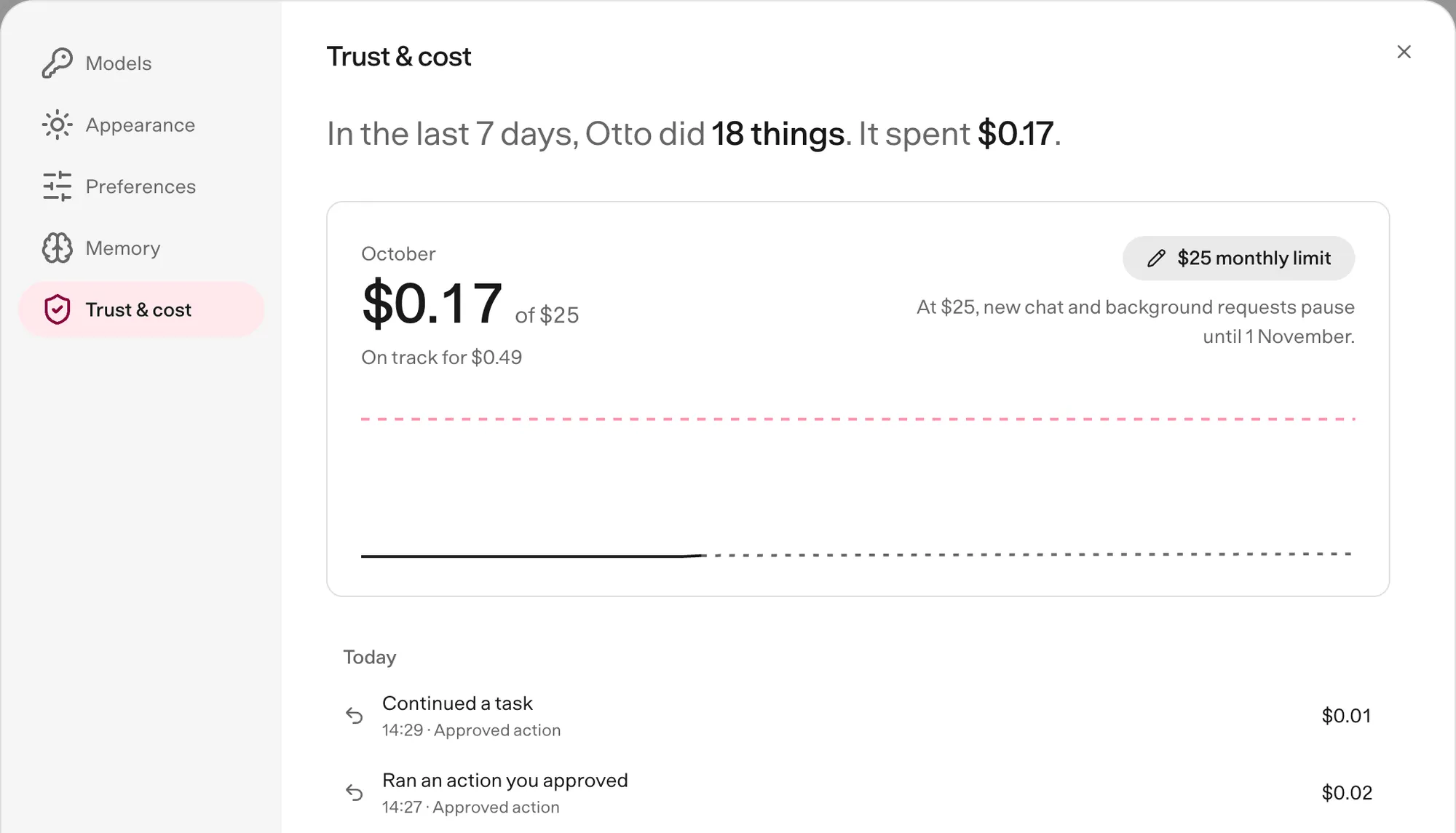
Set a monthly limit
Section titled “Set a monthly limit”- Open Settings → Trust & cost.
- Select Set a monthly limit.
- Enter an amount in US dollars, from $1 to $100,000, and select Save.
To change the limit, select it and enter a new amount. To remove it, select it, then Remove.
What happens at the limit
Section titled “What happens at the limit”flowchart LR
req[New request<br/>chat or background]:::accent --> check{{Spent less than<br/>the limit this month?}}
check -- yes --> run[Otto works]:::go
check -- no --> stop[Stops before<br/>using the model]:::stop
stop -.-> lift[Next month, or you<br/>raise or remove the limit]:::muted
When the month's spending reaches your limit:
- New chat messages, schedules and background work stop before Otto calls the model. Chat shows that it's paused.
- Work that's already running can finish.
- An action you already approved still runs once.
The pause lifts at the start of next month, or as soon as you raise or remove the limit.
See the cost of one reply
Section titled “See the cost of one reply”Hover over Otto's final reply, or move keyboard focus to it, to see the estimated model cost of that request. Price unavailable means part of the usage has no price.
Check usage from Telegram or WhatsApp
Section titled “Check usage from Telegram or WhatsApp”Send /usage for the same summary. It doesn't use the model or cost anything. Telegram also receives this month's statement as a PDF.
Ask Otto
Section titled “Ask Otto”You can ask Otto about its own spending and app actions, for example "How much have you spent this month?" Otto reads the same view. It can't change your limit.